AgentSee

Hove & London ShortformBeGone Free · Open source

A lock on short-form video that survives a weak moment.

ShortformBeGone is a free iPhone and iPad app that blocks short-form, infinite-scroll video: Instagram Reels, YouTube Shorts, TikTok and the feeds like them. Messaging, long-form YouTube and ordinary browsing keep working.

In App Store review / Free, no purchases / No account, no data collected / Open source on GitHub

01 — What it does

It takes the feed away and leaves the rest of the phone alone.

It is for people who have tried app timers, and deleted and reinstalled their way through every softer option. A blocker you can switch off in a tap does not survive a weak moment, so the app comes in two parts: a Safari blocker that works a minute after you install it, and a guide to locking the device down so that undoing it needs a password somebody else holds.

What it blocks

  • Whole sites that are only a short-form feed, such as tiktok.com.
  • Only the short-form sections of sites worth keeping: youtube.com/shorts, instagram.com/reel and /explore, facebook.com/reel and /watch, snapchat.com/spotlight.
  • The links and shelves that lead into them, as far as the sites' pages allow.
  • With the lock: the apps themselves, other browsers, and deleting the filter.

What it leaves alone

  • Long-form YouTube in Safari.
  • Instagram and Facebook messages and posts on the web.
  • Everything else.

The app is not on the App Store yet. It was submitted to Apple for review on 16 November 2026, and this page will carry the link when there is one. Until then the source is public and can be built with Xcode.

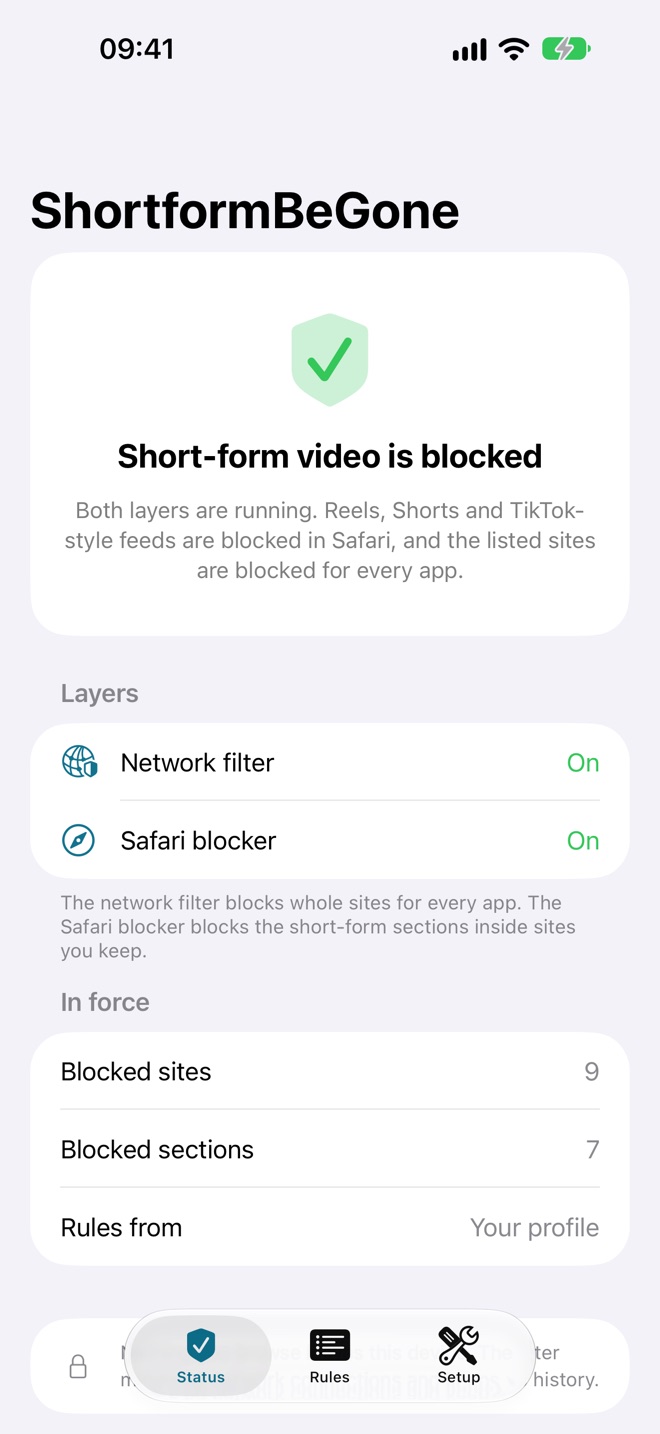
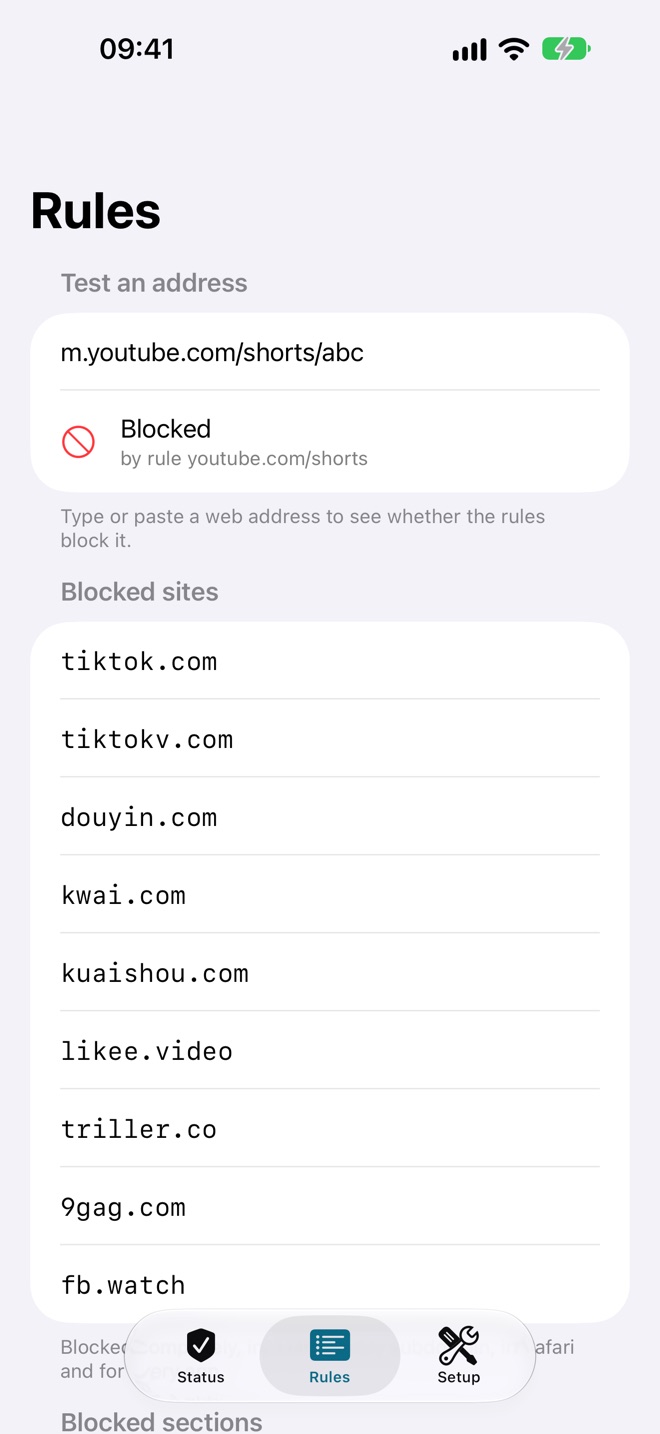
The app's Status tab: short-form video is blocked, with the network filter and the Safari blocker both on. The app's Rules tab: the address m.youtube.com/shorts/abc tested and shown as blocked, above the list of blocked sites.
Status, with the layers running, and Rules, with a box to test any address.

02 — The layers

Four layers. Two work in a minute, and two are the lock.

Safari blocker

A Safari content blocker. It refuses the short-form sections of sites on every request Safari makes, including from inside a site that is already open, and hides the links into them. Works on any iPhone or iPad the moment you switch it on. Not locked: it can be switched off in Settings.

Safari guard

A second Safari extension. Some sites open a Short or a Reel without loading a page, so there is no request to refuse; the guard watches the address on YouTube, Instagram, Facebook and Snapchat and returns you to the site's home page. Not locked either, and it needs Allow for each site.

Network filter

A content filter that checks the full address of every Safari and in-app browser request, and the hostname of every app's connections, against the rules. iOS only runs it on a supervised device. Locked by the profile, and its rules live in the profile too.

Locked profile

A configuration profile for a supervised device. It switches the network filter on, blocks the short-form apps and other browsers, and blocks deleting apps and erasing from Settings. Removing it needs the removal password or a full restore from a computer.

03 — What setup takes

A minute for the Safari blocker. A Mac, an erase and about a day for the lock.

The Safari blocker and guard need nothing but the app: switch both on in Settings → Apps → Safari → Extensions, allow the guard for its four sites, and Shorts and Reels stop loading in Safari. No Mac, no erase.

The lock costs more, and the cost is Apple's rule rather than ours: iOS only runs a network content filter on a supervised device, and supervising a device you already own means erasing it once with Apple Configurator on a Mac and restoring it from an iCloud backup. That is the price of a lock that holds. You will need:

  • A Mac with Apple Configurator (free) and room for a phone backup.
  • A USB cable, plugged straight into the Mac.
  • The ShortformBeGone app on the phone.
  • A keyholder, or a timed lockbox, for the removal password.
  • About a day, most of it waiting.

You do not need an Apple Developer account or Xcode once the app is on the App Store. The erase is the only risky step, and the app's Setup tab walks through what to back up and sign out of first; the same guide is in the README.
04 — The profile files

Two files for your Mac. Download both into the same folder.

The profile template (6 KB) and the script that locks it (2 KB). Open this page on the Mac, not the phone: the profile is installed from the Mac, on a supervised device, with Apple Configurator.

The app does not contain or install a profile. Its Setup tab sends you here, and you install the profile yourself. Both files are plain text, so read them before you use them.

  1. Supervise the device first (section 03) and install the ShortformBeGone app on it.
  2. Download both files into Downloads on the Mac.
  3. Open no-shortform.mobileconfig in a text editor and delete the lines for any apps you need to keep. Edit DenyHosts and DenyPaths to change the rules. Leave CHANGE_ME_REMOVAL_PASSWORD as it is.
  4. In Terminal, set the removal password without seeing it:
    bash ~/Downloads/set-removal-password.sh
    This writes no-shortform.locked.mobileconfig beside the template and sends the password to the default printer. With no printer, add --to-file. The script uses only tools built into macOS, and the password never leaves the Mac.
  5. Apple Configurator → select the phone → Add → Profiles → choose the locked copy.
  6. Check that Settings → General → VPN & Device Management lists "No Short-Form Video" and a content filter, and that the app's Status tab is green.
  7. Hand the password to your keyholder, then delete the locked copy: the password is readable inside it.

These two files are copies. The canonical ones, with their history, are in the Profile folder of the GitHub repository; if the two ever differ, the repository is right.

05 — Known gaps

What it does not do, said before you erase a phone for it.

  • A full restore from a computer removes everything. That is deliberate: you can never be locked out for good.
  • The Safari blocker and guard are not locked. Both can be switched off in Settings → Apps → Safari → Extensions. Apple offers no profile setting that locks a Safari extension on a device that is not enrolled in an MDM server. The profile turns off Safari's Private Browsing, where they may not run.
  • The locked filter misses some in-page views. It is shown one address per connection, so it misses Shorts reached from inside a YouTube session that is already open. The Safari blocker and guard cover those, and they are the unlocked part. The guard checks the address several times a second, so a Reel may flash before you are sent back.
  • Hidden links are best-effort. Hiding the Shorts tab and shelves depends on the sites' current pages, which change. Blocking the requests does not.
  • Inline video inside other apps, such as chat and news apps, is not covered.
  • If the filter crashes, traffic may pass until it restarts.
  • New apps are not in the list until their bundle ID and domain are added.

The full list, with what was measured and on which iOS version, is in the README.

06 — Source, privacy, support

Free, MIT licensed, and all of it readable.

ShortformBeGone has no account, no ads, no purchases and no analytics, and it collects no data: the privacy policy is short because of it. The code is on GitHub under the MIT licence, copyright AgentSee. For help, see support, or write to apps@agentsee.work.